
AAGOGAME App Download: Fast, Safe, and Built for Mobile Players
Fast, safe AAGOGAME app download for reliable play on your phone
Get AAGOGAME app download for quick login, lighter data use, and steady performance on daily mobile networks. The app loads fast, works well in short sessions, and keeps you signed in for instant access.
It’s built for local play: check cricket markets in seconds and open popular slots from JILI without delay. Strong account protection and clear update prompts help you play with confidence on the go.
Why the AAGOGAME mobile app fits local players and daily mobile habits
The app is designed for quick checks, shorter matches, and late-night sessions on mobile data. You get faster access, fewer taps, and helpful alerts that keep you updated without staying on a page.
Faster start with one-tap login and quick biometric access
Open the app and use fingerprint or Face ID for instant AAGOGAME login. No need to type credentials each time, so you reach your games faster.
Data-saving performance built for local networks and shorter sessions
The app caches key pages and compresses visuals to cut data use. It stays responsive even when signal drops, so you can pick up right where you left off.
Cricket-first experience with live updates and smarter shortcuts
Jump to today’s cricket fixtures in one tap. Get timely alerts for price moves and final scores so you never miss the action during busy days.
Slots and providers you know, including fan-favorite JILI titles
Open JILI slots and other top picks from a clean launcher. Recent games appear at the top, so your favorites are always a tap away.
Real account checks that protect payouts and verified identities
Simple verification steps secure your profile and keep withdrawals smooth. Your account name should match your payout details to avoid delays.
Step-by-step guide to download, install, and start using the AAGOGAME app
- Open your mobile browser and go to the official AAGOGAME app page.
- Tap the Android Download button and wait for the file to finish.
- If prompted, allow your browser to install apps from this source.
- Open the downloaded file, tap Install, and wait for completion.
- Launch the app, allow notifications, and set biometric login.
- Log in to your account or create a new one inside the app.
- Enable Auto-Update in settings so you always have the latest build.
New to the platform? Tap Sign Up via AAGOGAME Register to set up your account quickly and start playing.
Key mobile features that save time and keep play moving on data
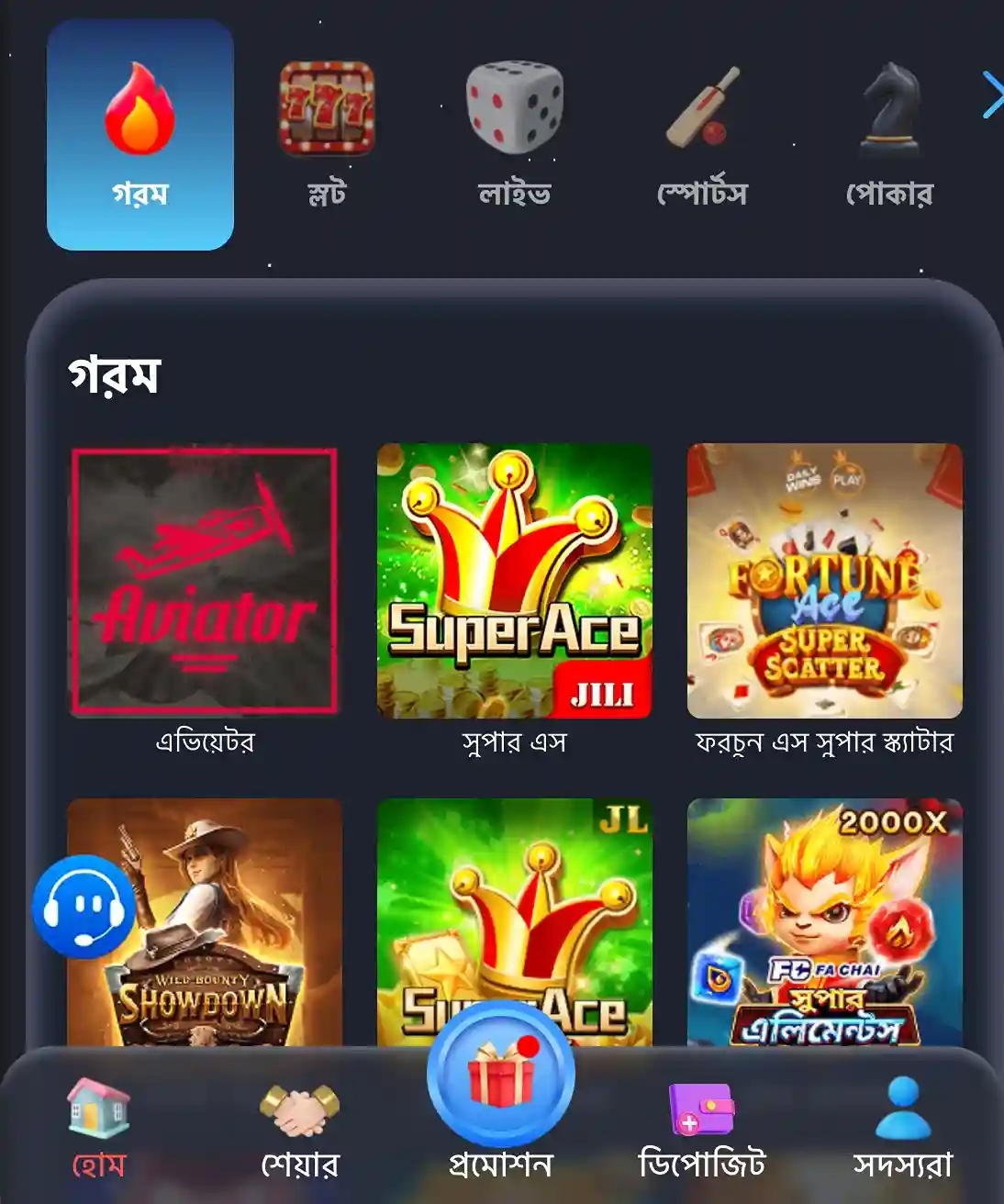
- One-tap biometric login for instant access to sports, casino, and live sections.
- Cleaner tabs and bigger buttons so you can move fast with one hand.
- Smart notifications for cricket schedules, results, promos, and app updates.
- Recent games and providers pinned on top, including quick launch for JILI.
- Resume where you stopped after brief network drops or incoming calls.
- Lighter assets and caching to lower data usage on tight plans.
Exclusive in-app promotions, reload deals, and timely campaign notifications for regular players
Install the app to qualify for special mobile-only rewards and time-limited events. You’ll receive alerts before big cricket days and popular slot campaigns.
Track reload offers and streak rewards in one place. Push notifications land early, so you can act fast and never miss a window.
Watch for an extra app welcome tied to the first sign-in—your gateway to the AAGOGAME bonus when available for new users.

Safe installation tips, permission checks, and official update practices for the app
Download only from the AAGOGAME Official Website to avoid outdated copies or lookalike apps. Do not install files shared on random groups or unknown links.
Allow only essential permissions. Notifications help with updates and match alerts; biometrics speed up login. You can disable any permission later in system settings.
Update from inside the app when you see a prompt. Avoid third-party stores. If you reinstall, ensure the new build replaces older versions to prevent conflicts.
Keep your account secure: never share OTPs, passwords, or device unlock codes. Use the in-app help channel if you suspect unusual activity.
AAGOGAME app download and installation questions answered in simple steps
Is the AAGOGAME app free to download and use?
Yes. The app is free to install. Data charges from your mobile provider may apply while browsing or updating.
Why does Android ask me to allow installs from this source?
Android blocks unknown installs by default. Enable the browser’s “Allow from this source” setting once, complete the install, then turn it off if you prefer.
Is there a native iOS app available right now?
Use the iOS “Add to Home Screen” option for a fast launcher and notifications. If a native app becomes available, you will see guidance inside the app.
How do I update to the latest version of the app?
Open Settings inside the app and tap Check for Updates. Follow the prompts to install the newest build safely.
Why do I need to verify my account after installing?
Verification protects your profile and supports smooth withdrawals. Ensure your profile name matches your payout details to prevent delays.
Ready to download the app and play smarter on your mobile now
Install the app for faster logins, quick cricket checks, and instant access to JILI slots. Lighter data use and clear alerts keep you moving all day.
Tap download to start your AAGOGAME app download, finish setup in minutes, and jump back in with one tap. Your next session is just a quick install away.